Contact Us
- Support
- General Information
- Address Merged/Incorrect address
Address Merged/Incorrect address
| Scenario | Merged Address |
| Opening | Welcome to Urban Company! I'm [Associate Name] How may I assist you today? |
| Canned Response | I regret the confusion this has created here. Please allow me 2 minutes to fetch up your profile and check the same. |
| Canned Response | Thanks for waiting. I really appreciate your patience. |
| SCENARIO | Customer says the professional has reached a different location but I have placed a booking for a different location or Pin code merger |
| Platform | UC order | Ecommerce |
| ACTION | Installation - call cx and check the exact location if the cx exact location and dashbaord loaction is having distance of upto 10km tried and concveince partner we will pay extra upto 300 to 400 if partner denined or distance is more than 10km then we have to proceed with cancellation. Inform cx that we will pick up our machine and we will refund the amoutn cx need to place new booking with correct address. Please follow return process.
Revisit - Take cx exact address and create new booing from business account | Installation - Call cx and take extact location with pin code from cx and and create new booking for installation. For this please reach out to IE TL ( Mansi)
Revisit - Take cx exact address and create new booing from business account |
Step 1 - We will ask customers to turn off the GPS.
Step 2- Ask the customer to select the landmark nearby his/her home manually without using the current location.
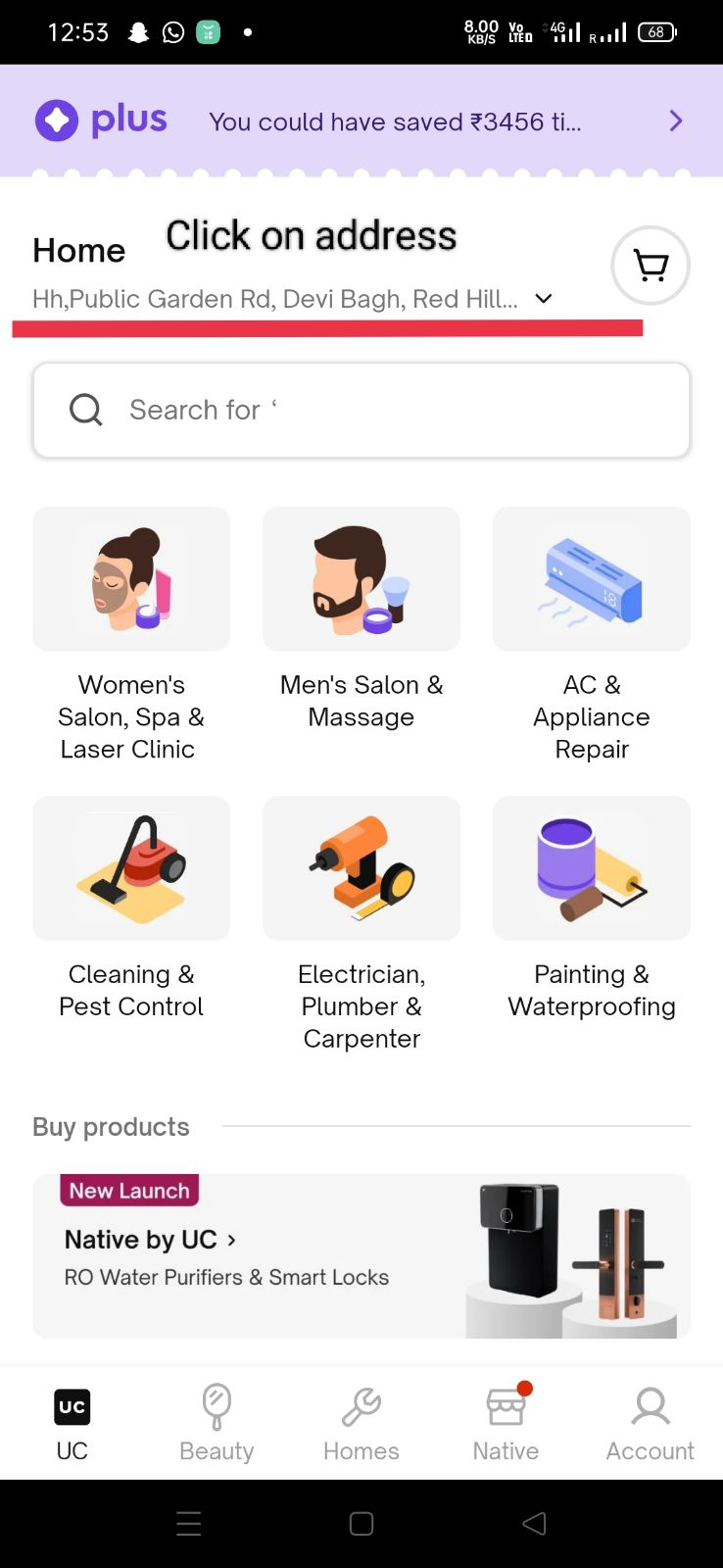
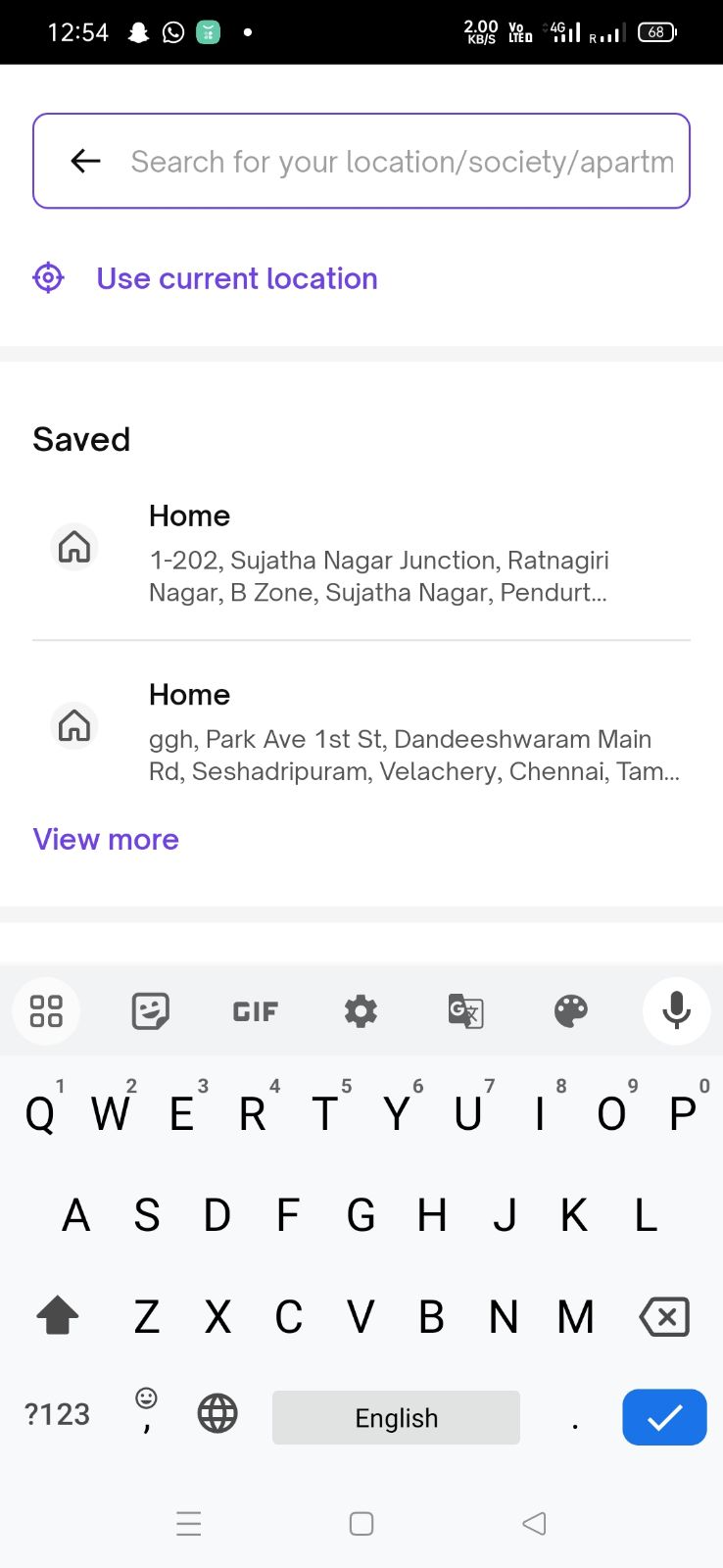
Step 3- Ask the customer to place a booking over the call.
Step 4- While selecting the address ask the customer to delete all the previous addresses. Customers need to click on 3 dots in front of the address and then delete the address. Ask the customer to then add another address.
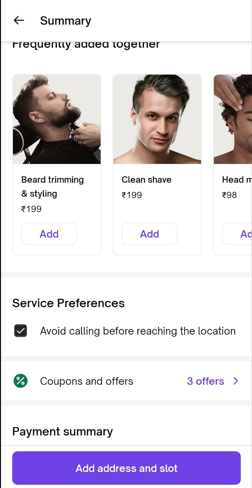
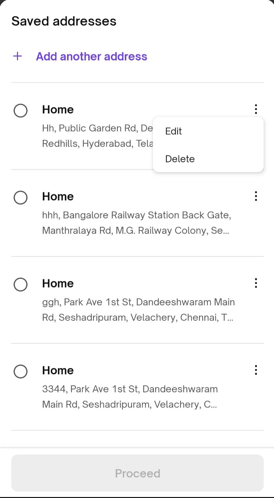
Step 5 - Ask customer to proceed.
Step 6 - Check on the request page if the address and location is correct.